

FeaturesmacOS · Windows
Know what your agents cost, before the limit hits
AyCode counts tokens and cost per agent, model and project, shows the 5-hour, weekly and monthly limits of your providers, and recognises many subscriptions from the account on its own. When a limit is reached, the chat can wait and continue by itself.
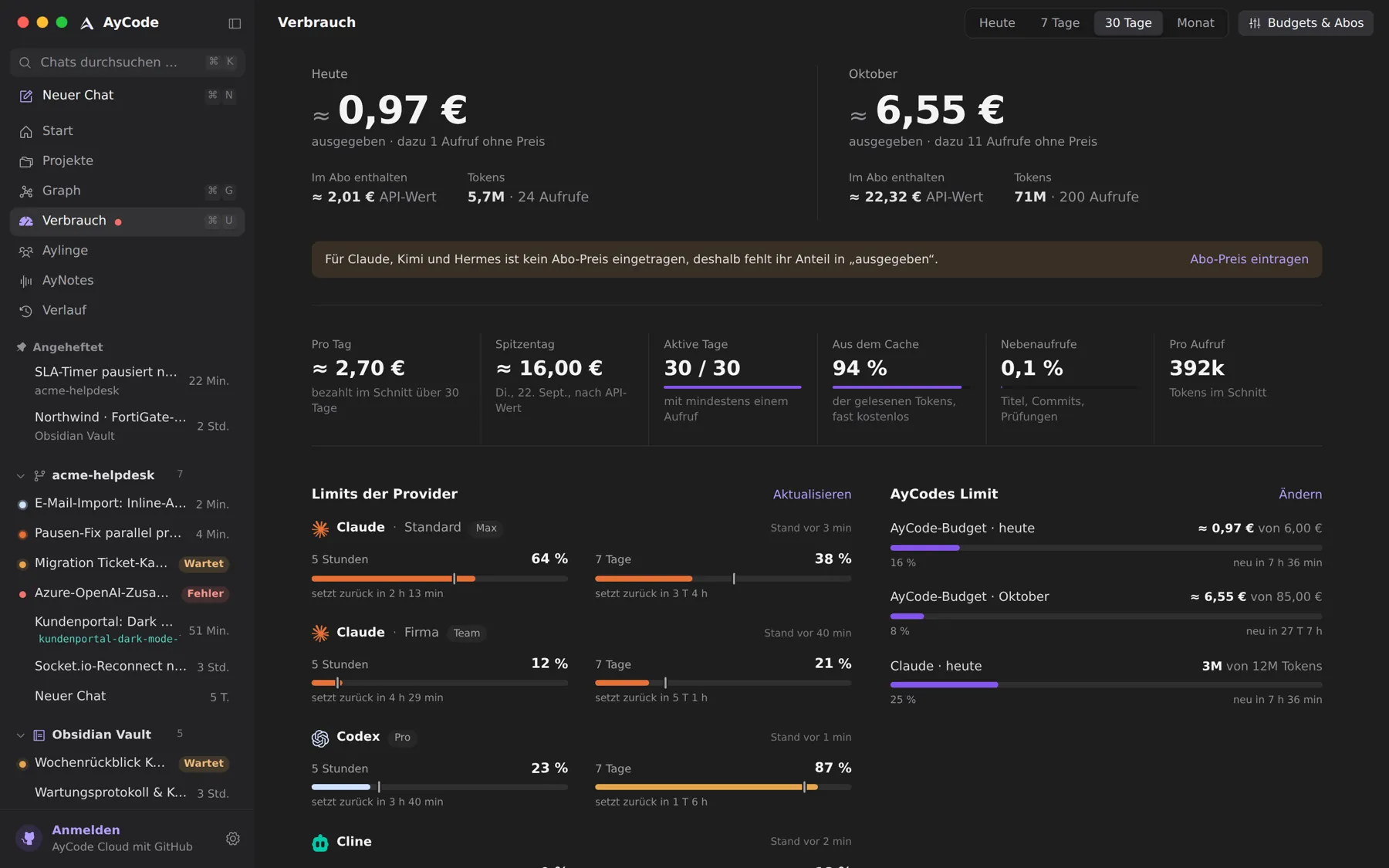
- Cost per day, agent, model and project
- Live limits of Claude, Codex, Cline, Grok, Z.ai and more
- Subscriptions priced from your account
- A limit guard that waits, or moves the chat on
One view for every provider
⌘U opens the usage view for today, seven days, 30 days or the month: costs in euros or as API value, tokens, how much came from the cache, and the peak day. Side calls such as commit messages or quick questions are counted on their own. A dot in the sidebar warns you from 80 % of a limit on.
Your subscriptions, priced for you
AyCode reads which plan an account is on where the provider says so, for example the Claude plan from your sign-in or the Codex, Grok and Z.ai plans from their limit windows, and prices it from a table with source and date. Where only the tier is open, you pick it with one tap; no subscription and a custom price stay possible. AyCode never guesses a price.
When a limit is reached
With the limit guard on, a chat that hits a limit waits and continues once the window is free again. The banner says when and why, and offers to try now, to stop waiting, or to continue with another provider, history included. With several accounts per provider, AyCode can switch to the next account instead.
Questions and answers
Can AyCode show my Claude Code weekly limit?
Yes. The usage view and the Island show the 5-hour and weekly windows of Claude and the limits of Codex, Cline, Hermes, Grok, Z.ai and OpenCode.
Does AyCode know what my plan costs?
For many plans it recognises the tier from your account and prices it from a dated table. You can always choose another tier or enter your own price.
Try it on your own projects.
Free for macOS and Windows. Uses the agents and subscriptions you already have.