

FeaturesmacOS · Windows
Several agents at once, each on its own branch
Start a chat in its own git worktree and let it work while you start the next one. Send one prompt to several models and compare the answers, let two agents check each other, and ask a second model for a review before anything lands on your branch.
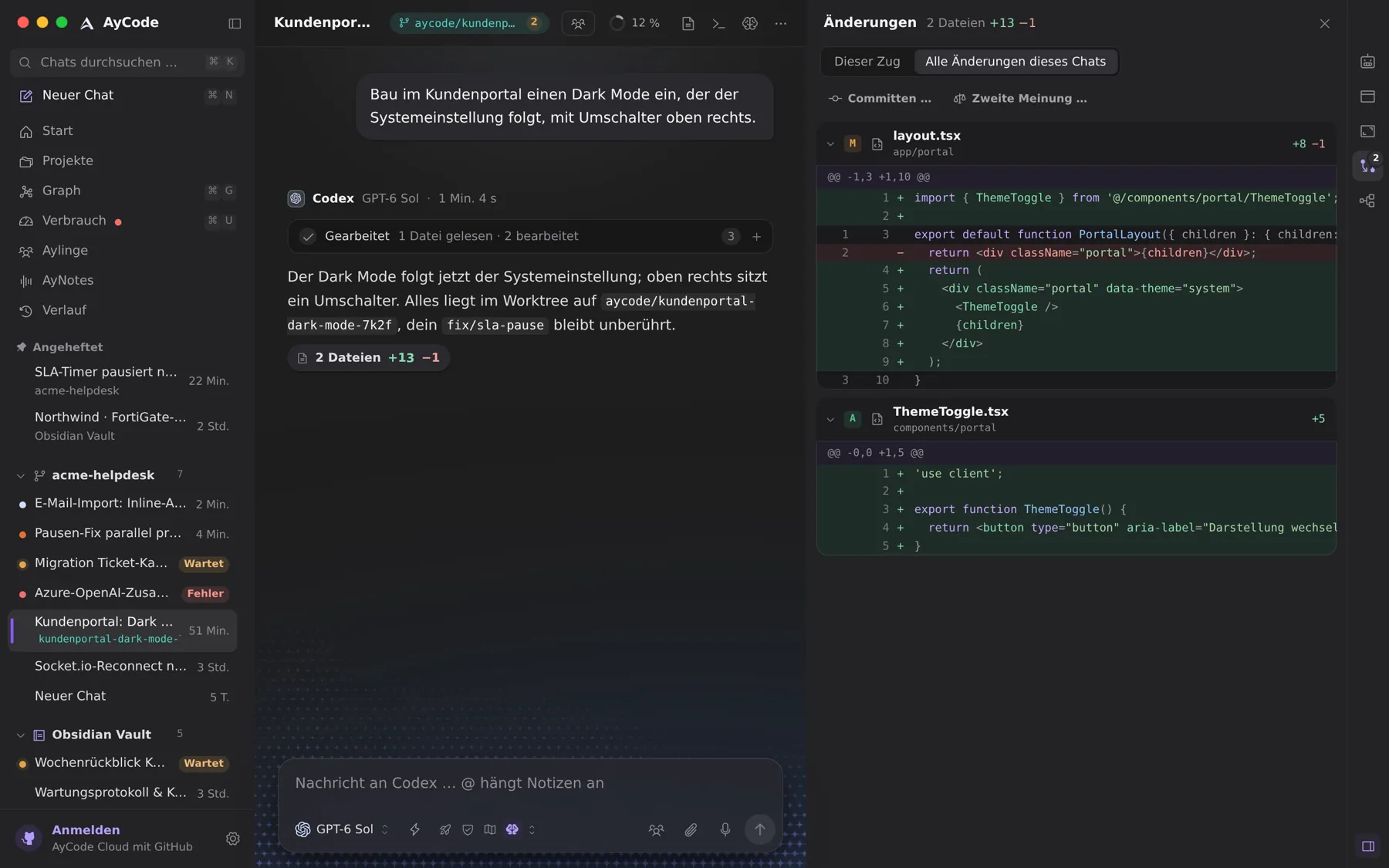
- A worktree per chat, merged back as one commit
- One prompt to up to four models, answers side by side
- Duo: two agents take turns until both are done
- A second opinion from another provider before you merge
Worktrees without the bookkeeping
Pick Worktree on the start screen and the agent gets its own copy of the repository on its own branch. A setup command like npm ci can run in every new worktree. When the work is good, apply brings it onto your branch as one commit; AyCode never overwrites uncommitted work, and on a conflict nothing changes.
Compare, pair and review
- ⇧-click up to three more models and your prompt goes to all of them, each in its own chat and worktree. Compare answers shows status, time, tool calls and changed files side by side.
- Duo lets the chat’s agent start and a partner check, fix and build on its work, for 4, 8 or 12 answers, until both say they are done.
- Second opinion asks another provider to review a turn or the whole chat. It only reads, sorts findings by importance with file and line, and ends with a clear yes or no.
/goalkeeps an agent working until a goal is checked as reached, and/btwasks a side question without disturbing it.
See every change while it happens
While an agent edits, AyCode shows the file it is in with live line counts. The changes panel lists every changed file of a turn or the whole chat, you comment on single lines, and commit, push or open a pull request from the same place.
Questions and answers
Can Claude Code and Codex work on the same repository at the same time?
Yes. Give each chat its own worktree and they work on separate branches of the same repository without getting in each other’s way.
How do I merge an agent’s worktree back?
In the changes panel choose to apply it to your branch. The work lands as one commit, without push or pull request, and AyCode stops if that would overwrite anything.
Try it on your own projects.
Free for macOS and Windows. Uses the agents and subscriptions you already have.