

FeaturesmacOS · Windows
Meetings become notes, speech becomes text
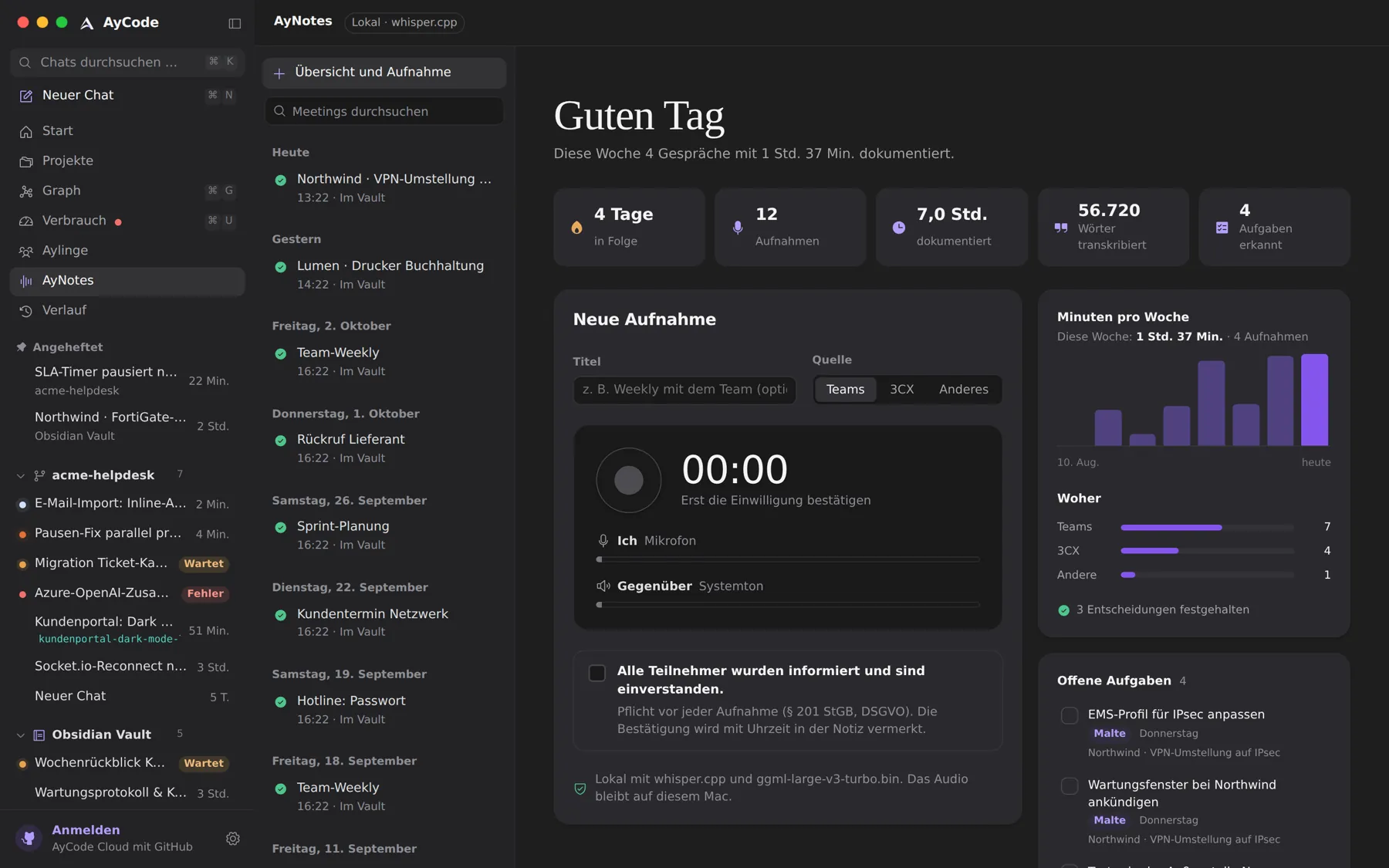
AyNotes records calls and meetings with everyone’s consent, writes them down on your computer and saves a clean note with decisions and tasks in your vault. And wherever your cursor is, it turns what you say into text.
- Transcription on your computer with whisper.cpp
- Summary, decisions and tasks as a note in your vault
- Hold right ⌥ on the Mac to dictate anywhere
- A dictionary that learns your words and names
Meeting notes that land where you work
Give the meeting a title, choose the source, confirm that everyone agrees, and record. Your microphone and the other side are kept apart. When you stop, AyNotes transcribes, summarises and saves a new note; it never overwrites one. Tasks from the last 45 days of meetings are collected on the AyNotes home, and open tasks to the agent hands them to an agent in one go.
Recording others needs their consent. Without that tick nothing records, and AyNotes never starts on its own. Recording meetings works on the Mac.
Dictate into any app
On the Mac, hold the right ⌥ key, speak, and let go: the text appears where your cursor is, in any app. ⌃⌥Space (on Windows Ctrl+Alt+Space) starts and ends a take as well. A small dark pill at the bottom of the screen shows your voice and the time without taking the focus, and Esc throws a take away. Your clipboard comes back afterwards.
Dictation learns: words you type into its dictionary, corrections you made before sending, names of meeting participants and topics, and names from your vault. The model stays warm while you speak, so only the last bit of decoding is left when you stop.
Local first
Transcription runs on your computer with whisper.cpp. If you prefer, a signed-in app can use the AyCode Cloud transcription instead, which keeps nothing, or an OpenAI-compatible service of your choice, with a clear privacy warning.
Questions and answers
Is AyNotes an alternative to Wispr Flow?
For dictation, yes: hold right Option on the Mac or press a shortcut, speak, and the text lands in any app, transcribed on your own computer. AyNotes also records and summarises whole meetings.
Is the audio stored?
Meeting audio stays on your computer. Dictation keeps no audio once the text is written, unless you chose to share voice samples to improve AyCode’s speech model, and the AyCode Cloud transcription stores nothing.
Try it on your own projects.
Free for macOS and Windows. Uses the agents and subscriptions you already have.